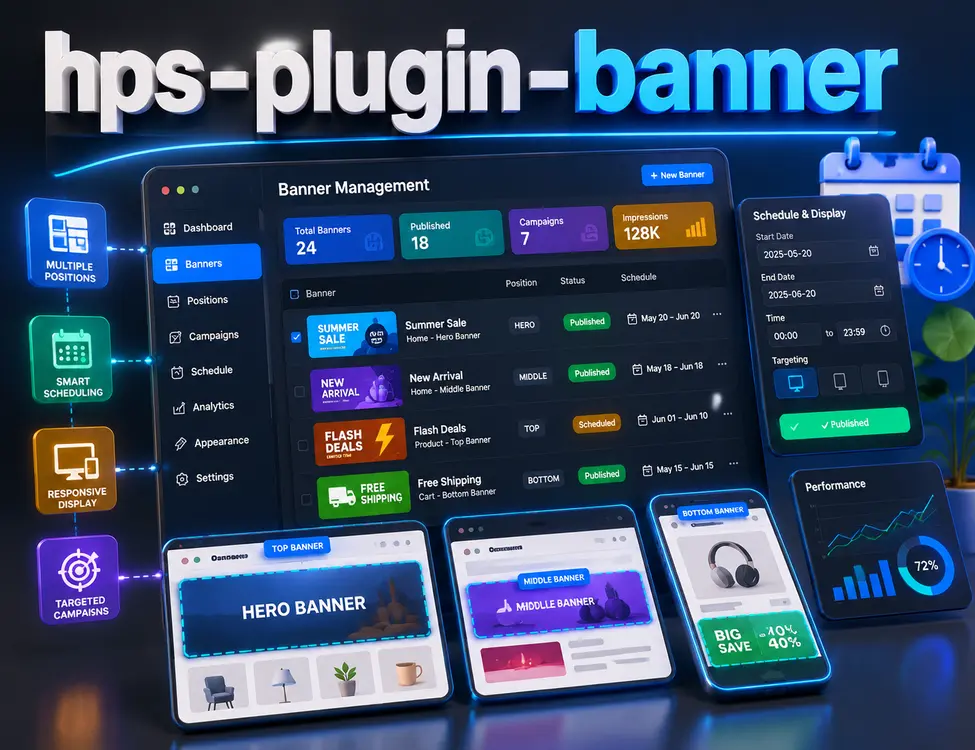
hps-plugin-banner
By Hyperse
hps-plugin-banner is a Banner plugin in the Hub Content group.hps-plugin-banner provides Banner plugin capabilities for Hub Content. Content, SEO, widgets, and merchandising presentation tools. It is especially useful for content workflows.
CoreVendure Plugins
Specifications
Technical details and package information for this product.
Package
@hyperse-hub/hps-plugin-banner
Support languages
TypeScript, JavaScript, CSS, Prolog, Shell
Last published
July 02, 2026
@hyperse-hub/hps-plugin-banner
Vendure plugin for translatable storefront banners (Admin API + Shop API).
Installation
yarn add @hyperse-hub/hps-plugin-banner
Add HpsPluginBanner to your Vendure plugins array (see your Vendure version docs for VendureConfig).
Channels and languages
- Each banner row belongs to exactly one Channel (
channelId on the Banner type). The pair (channelId, key) is unique: different channels can reuse the same key (for example each storefront has its own home-hero).
- Translations on that row provide multiple languages (
languageCode + copy/assets per entry), same as other Vendure translatable entities. Configure languages per channel in Vendure Channel settings (availableLanguageCodes, etc.).
- Admin and Shop queries only return banners for the active channel in
RequestContext (Admin UI channel switcher; Shop API vendure-token header).
createBanner: optional channelId in the input; when omitted, the current Admin channel is used.defaultBanners bootstrap: optional defaultBannersChannelId selects which channel receives the seed; when omitted, the default Channel is used.
position is a slot id chosen by your product (for example home-hero, category:electronics-top). It must be non-empty, at most 128 characters, and must not contain control characters. The package exports BANNER_POSITION_MAX_LENGTH, normalizeBannerPosition, and assertValidBannerPosition if you want the same rules in your own code.
Plugin options
defaultBanners
Optional. If you pass a non-empty array, the plugin runs an upsert on bootstrap (after the server starts), scoped to defaultBannersChannelId or the default Channel:
- Rows whose
key does not exist (in that channel) are created.
- Rows whose
key already exists are updated to match the seed (including translations and position).
If you omit defaultBanners or pass [], no seeding runs.
defaultBannersChannelId
Optional channel id for bootstrap seeds. If the id is missing or invalid, seeding is skipped with a warning in logs.
Examples
Types such as CreateBannerInput and LanguageCode should match your Admin API schema. Usually you import them from your GraphQL codegen output (for example ./src/gql/admin/graphql.ts). Below, LanguageCode is shown from @vendure/core for brevity.
Register the plugin with bootstrap seeds
Example: one banner, one language
Good starting point for a single hero on the home page.
Example: one slot, multiple languages
Reuse the same key and position; vary copy and assets per languageCode.
Example: multiple positions
Use different position values so the storefront can query or filter by slot (for example via banners list options / filters in Admin API).
import { HpsPluginBanner } from '@hyperse-hub/hps-plugin-banner';
import { LanguageCode } from '@vendure/core';
import type { CreateBannerInput } from './path/to/your/admin-codegen';
const defaultBanners: CreateBannerInput[] = [];
export const config = {
plugins: [
HpsPluginBanner.init({
defaultBanners,
}),
],
};
import { LanguageCode } from '@vendure/core';
import type { CreateBannerInput } from './path/to/your/admin-codegen';
export const defaultBanners: CreateBannerInput[] = [
{
key: 'home-hero-main',
position: 'home-hero',
published: true,
displayOrder: 0,
translations: [
{
languageCode: LanguageCode.en,
name: 'Summer sale',
link: '/sale',
shortDesc: 'Limited time offers',
lgImage: 'https://cdn.example.com/banners/hero-lg.webp',
xsImage: 'https://cdn.example.com/banners/hero-xs.webp',
},
],
},
];
import { LanguageCode } from '@vendure/core';
import type { CreateBannerInput } from './path/to/your/admin-codegen';
export const defaultBanners: CreateBannerInput[] = [
{
key: 'home-hero-main',
position: 'home-hero',
published: true,
displayOrder: 0,
translations: [
{
languageCode: LanguageCode.en,
name: 'Welcome',
link: '/',
shortDesc: 'Shop the collection',
lgImage: 'https://cdn.example.com/banners/hero-en-lg.webp',
xsImage: 'https://cdn.example.com/banners/hero-en-xs.webp',
},
{
languageCode: LanguageCode.de,
name: 'Willkommen',
link: '/de',
shortDesc: 'Kollektion entdecken',
lgImage: 'https://cdn.example.com/banners/hero-de-lg.webp',
xsImage: 'https://cdn.example.com/banners/hero-de-xs.webp',
},
],
},
];
import { LanguageCode } from '@vendure/core';
import type { CreateBannerInput } from './path/to/your/admin-codegen';
export const defaultBanners: CreateBannerInput[] = [
{
key: 'slot-home-hero',
position: 'home-hero',
published: true,
displayOrder: 0,
translations: [
{
languageCode: LanguageCode.en,
name: 'Hero',
link: '/',
shortDesc: 'Main hero',
lgImage: 'https://cdn.example.com/hero-lg.webp',
xsImage: 'https://cdn.example.com/hero-xs.webp',
},
],
},
{
key: 'slot-category-rail',
position: 'category-sidebar',
published: false,
displayOrder: 10,
translations: [
{
languageCode: LanguageCode.en,
name: 'Side promo',
link: '/promo',
shortDesc: 'Member offer',
lgImage: 'https://cdn.example.com/rail-lg.webp',
xsImage: 'https://cdn.example.com/rail-xs.webp',
},
],
},
];